AI Desk Robot Arm
The goal of this project is to make an 17 inch, 5 DOF robot arm for my desk. The capabilites of this robot are to take audible commands such as "Robot arm grab my pencil" and then scan the desk for a pencil using AI imaging software, locate and pick up the pencil, locate the speakers location and place the pencil in front of the speaker. This project is still in progress and the programming is far from complete.
ROLE Designer, Manufacturer, and Programmer
DATE 2026
TOOLS Onshape, 3D printing, Raspberry Pi, Servos, Python
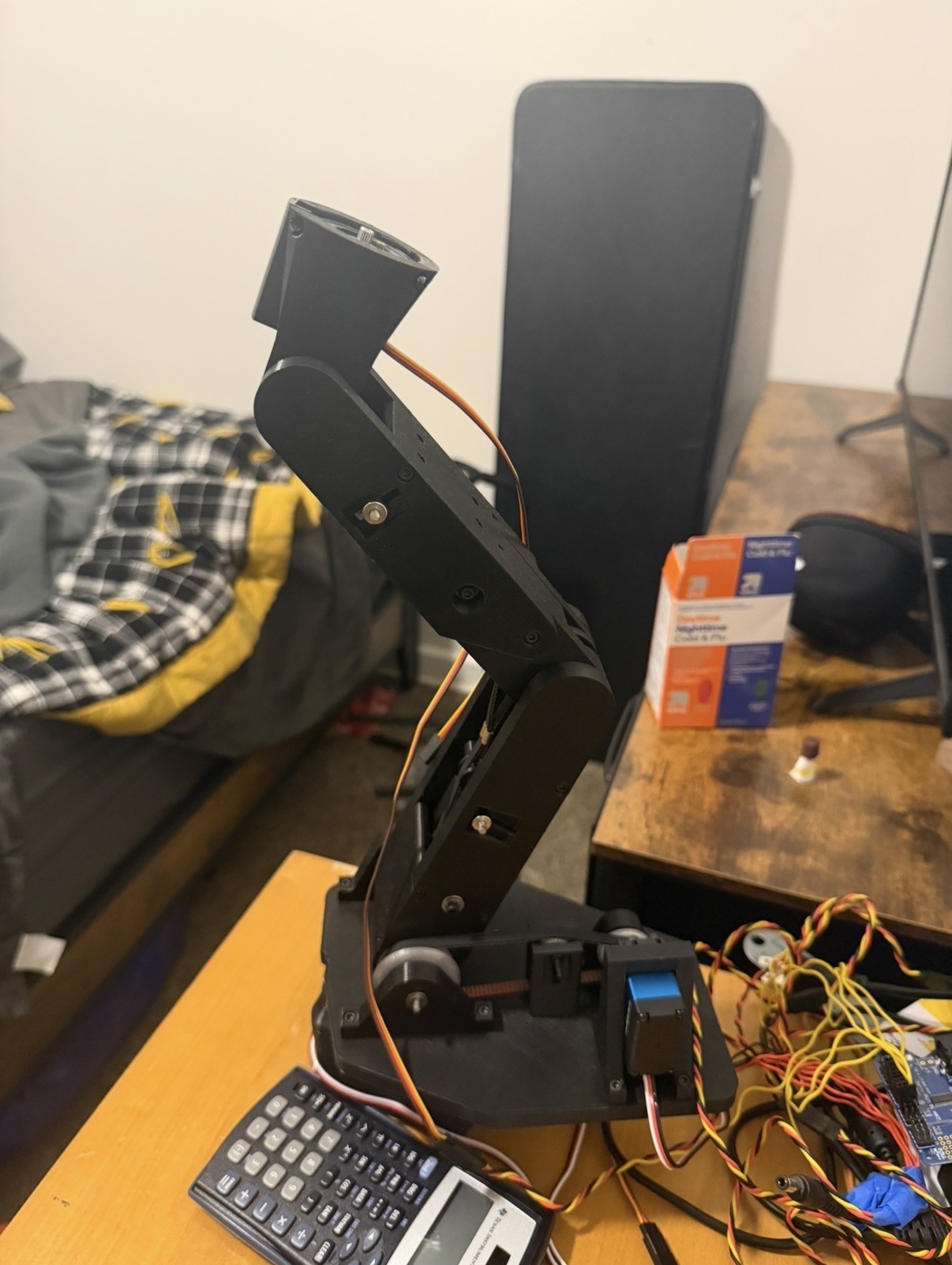
The Problem
I have a long desk in my room and cannot comfortably reach stuff on the end of my desk. So my solution instead of just dealing with it was to create a complicated robot arm that can listen to and execute my verbal commands. While this may be overkill, sometimes the best inventions are created out of curiosity and applied to something meaningful afterwards.
The desired path of solving this problem is to create a robot arm mounted on my desk that has a personality that you could feel for. This led to a design that did not rely on external parts like a computer or cameras but instead having all of the thinking and sensors directly on it.
Engineering Goals
The requirements laid out for this project was for the arm to be standalone without the need of external help from a computer or cameras mounted somewhere other than on the robot. It also needs to be able to pick up a can of pop at its fully extended length of roughly 17 inches. It listens to commands from speech, interpretes them locally, and completes the given task.
- Keeping all parts local to the robot arm
- Moving a full can of pop autonomously
- Respond to verbal commands
- Locate parts through camera mounted on arm
Overall Design Choice
For a desk project of this size the most efficient way to get physical parts is through 3D printing. The robot was designed for 3D printing for framing and supports with friction fit holes for bearings, gears and screws. To get the parts screwed together, brass threaded inserts were chosen for a strong reliable mounts for screws. To compute the speech to text and live video feedback, the computing power of a raspberry pi was needed. To drive the Servos a hat was chosen to attach to the raspberry pi for the ease of connection and shared language.
The option of routing the computing through a computer would have been cheaper but it was ultimately decided that keeping the computing local was worth the extra price. Using an arduino was also in the decision making due to its popularity and large amount of online advice and help, however the languages would have conflicted with the raspberry pi which would have most likely taken more time to figure out than the online help would save which is why a hat directly compatible with the raspberry pi was chosen.
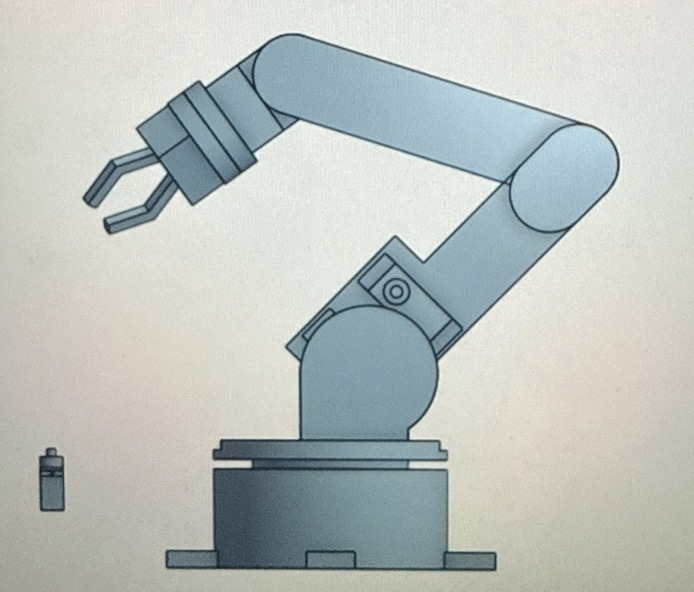
3D Modeling and Design
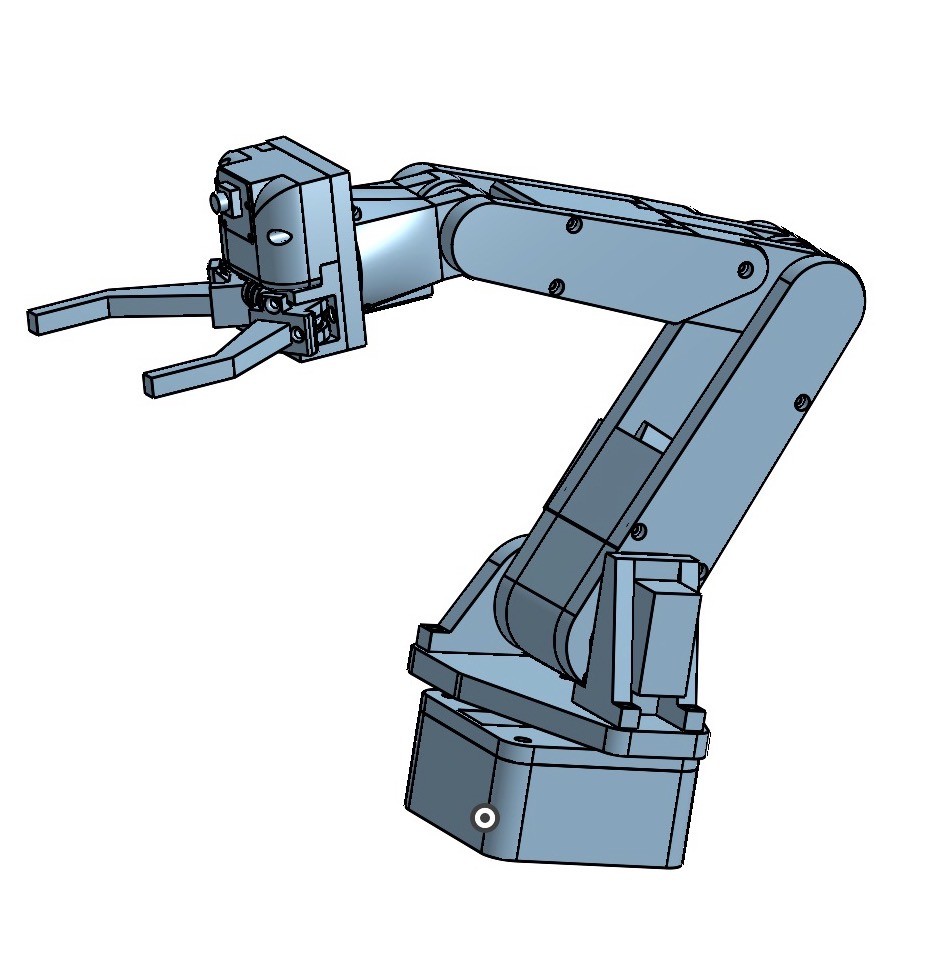
The 3D model was modeled in its entirety using Onshape. Each arm segment had its own assembly, including the printed parts, bearings, gears, and servos. Each of these individual subassemblies were then assembled into one master assembly to show the entire robot arm and its functionality. The master assembly shows mating interactions to simulate the expected movement of the arm.
Some design decisions that were made through the modeling process were to place the servos closer to the base than the joint they are controlling to reduce the moment of the arm when it is stretched out. The servos are connected to 3D printed gears to attach to GT2 belts that attach to the joints. The grabber has a complicated pulley system that ultimately did not work after testing and different approaches are in progress.
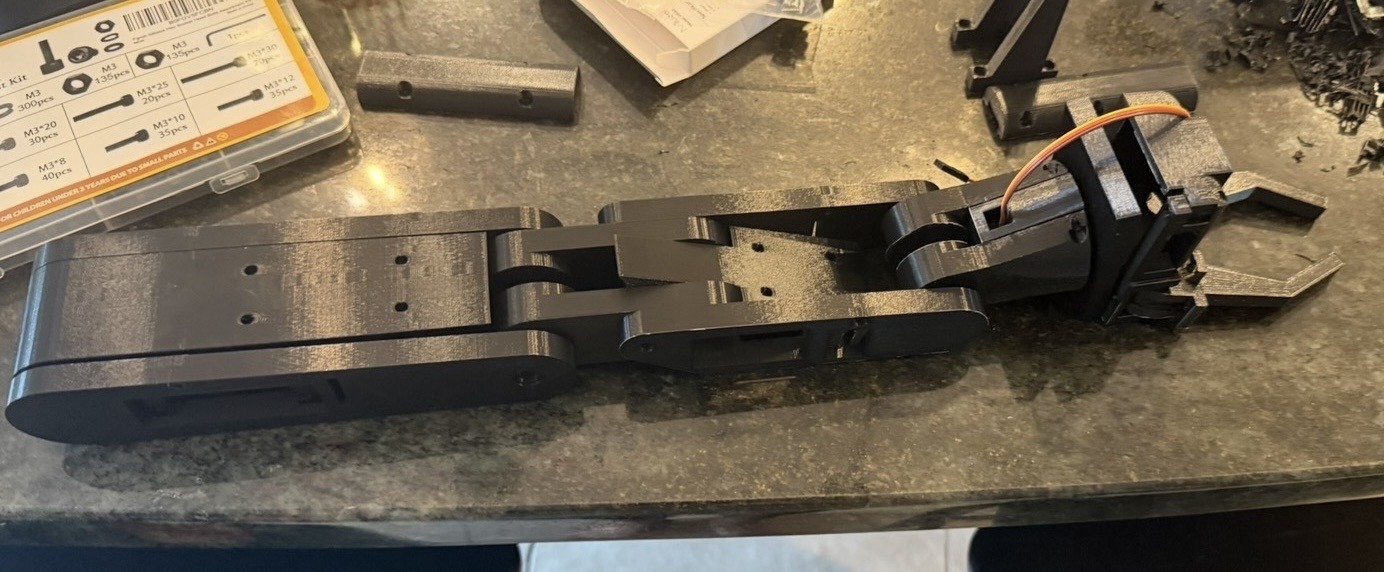
Printing and Assembling the Arm
The parts were all printed and the threaded inserts were placed into the parts as needed. The arm was then assembled with all the bearings, belts, parts, screws, and servos.
All the parts fit together as expected from the 3D model however there were some parts that were difficult to reach the screws that connect them. This required some of the parts to be sanded down or drilled through in order to reach the necessary screw.
Servos and Raspberry Pi setup
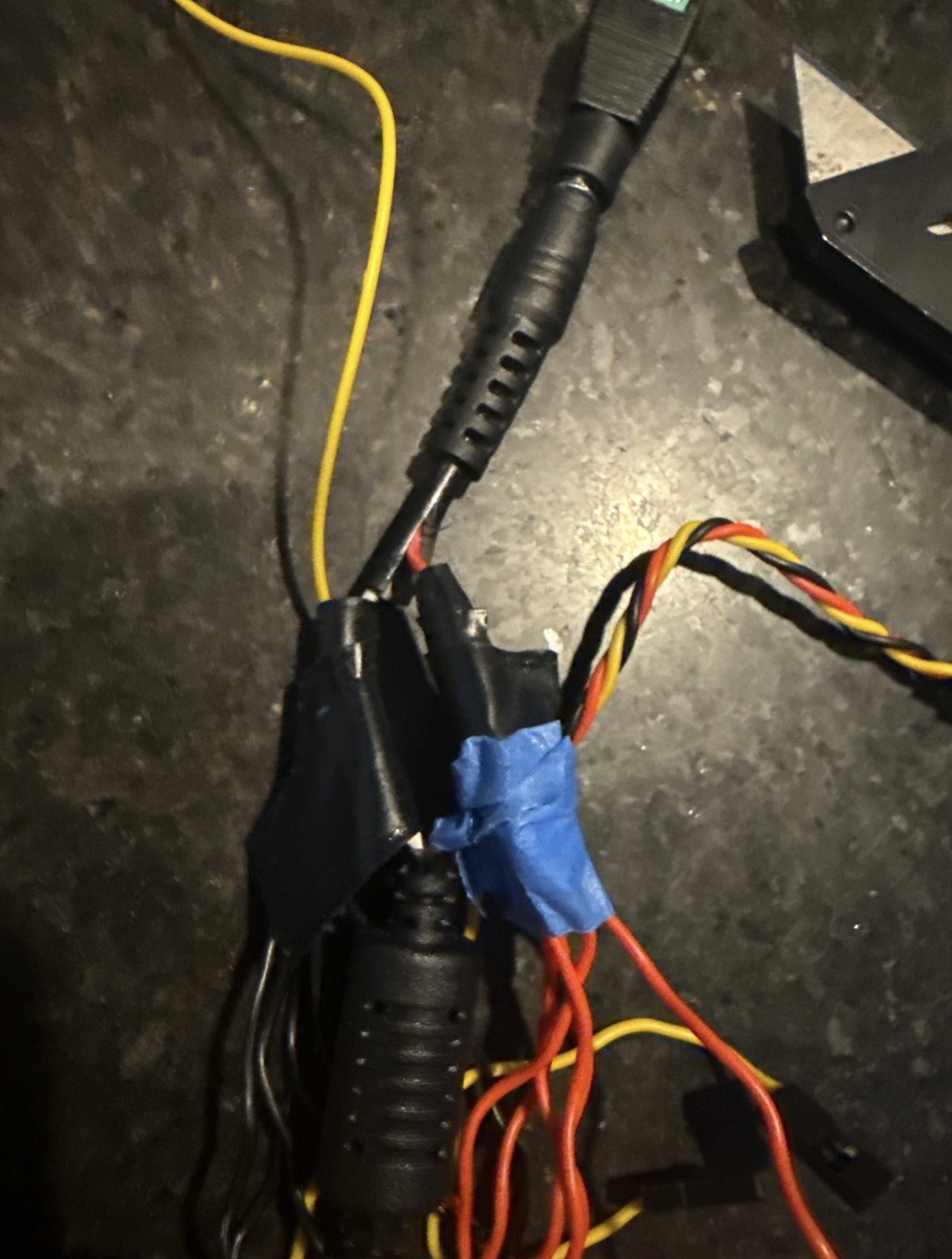
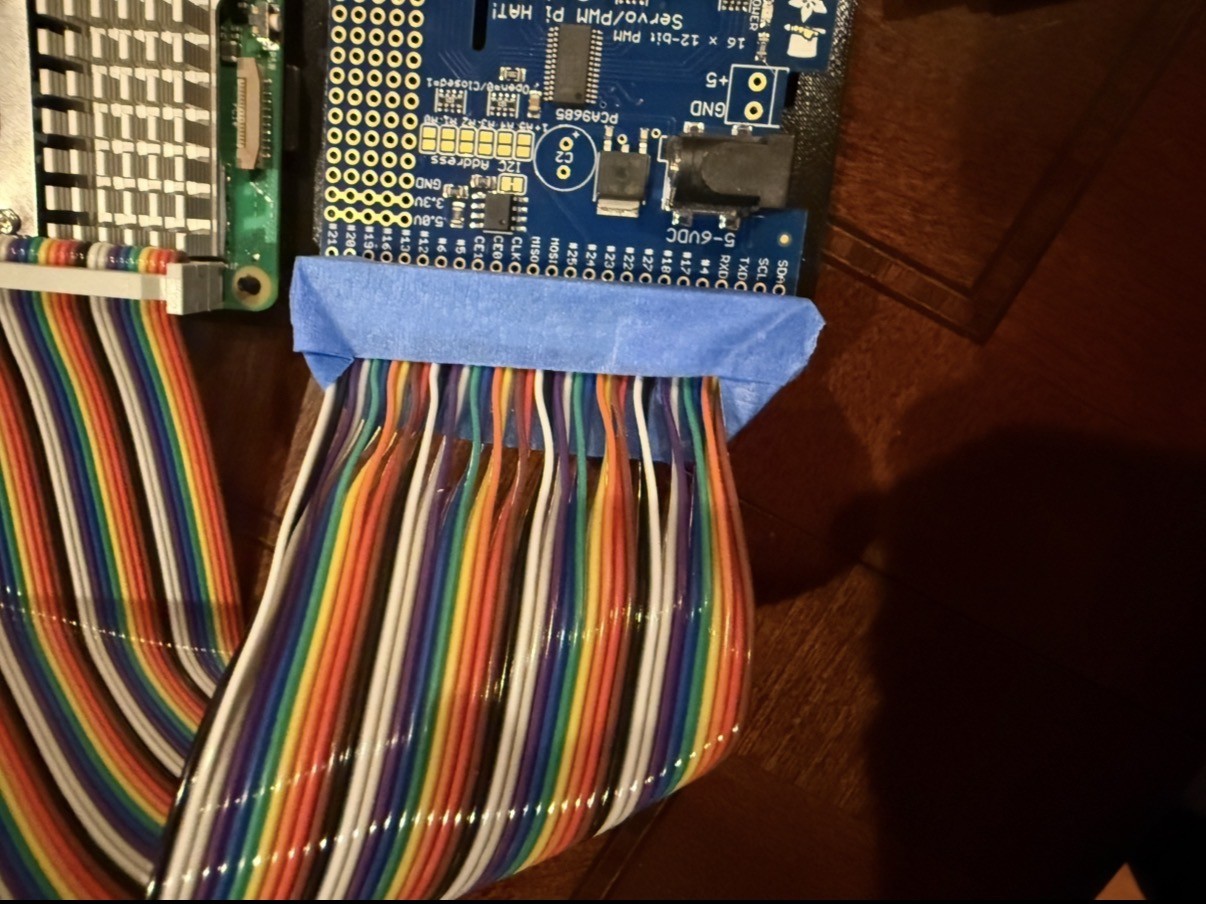
The servos need power and a brain. The hat that was chosen cannot have 10 amps of 6V current run through it at once which is the power of all servos at max power at once. To solve this issue the power supply was cut and spliced directly to the servo wires to power the servos directly without going through the board. The signal wires were then ran to the board so the board could still communicate with the servos. The ribbon cable that connects the raspberry pi to the hat also had the wires going to the wrong locations so the wires needed to be rerouted in order for the raspberry pi to effectively communicate with the hat.
These modifications all work as intended and the raspberry pi contains scripts to move the servos which are correctly powered outside of the hat.
Coding the Robot
The electrical components work as intended and the raspberry pi can effectively communicate with all of the servos. Scripts have been written that can control and test each servo that is mounted on the robot arm, however the structural integrity of the robot has not been established enough to move much further in the coding part of this project.
These scripts allow individual testing of each servo and how the arm behaves and interacts with each movement. This is very helpful in the iterative testing portion of this project because it makes problems easy to diagnose which will speed up progress of the project.
Final Result and Lessons Learned
The final result is a structurally sound robot arm and a safe servo system that can easily be coded and tested. The belt on the shoulder slips but all other joints work well. Potential decisions moving forward might include mounting the servo directly to remove the possibility to slip or purchase manufactured GT2 belts to prevent slipping.
Changes are currently being pursued for the shoulder and the grabber. I have learned about how motor controllers, servos, and raspberry pis work through this project and how to apply them to a moving mechanical system. I am continuing to deepen my understanding of the iterative process of rapid prototyping and what it takes to complete a project to complete a goal.